
Free MultiStream Software One live stream, every platform
Start one broadcast and MultiStream sends it to YouTube, Twitch, Kick, Facebook and any RTMP server at once, from your computer or your phone.
Windows · macOS · Android · iOS — free, no subscription
Grow your audience on every platform at once
Your viewers are spread across YouTube, Twitch, Kick, Facebook and more. Go live on several of them at the same time and your stream appears in front of people who would never open your main channel.
- Meet viewers where they already areFans keep watching in the app they like, and you still reach them.
- One show, no extra workYou run a single broadcast; MultiStream takes care of the rest.
- Followers on every channelEach platform builds its own followers, chat and statistics for you.
What is multistreaming?
Multistreaming (also called multi streaming or simulcasting) is broadcasting one live video to several platforms at the same time. You set up your channels once, start a single stream, and the same show appears live on YouTube, Twitch, Kick, Facebook and any other service you added.
Doing it by hand usually means a second encoder, a plugin or a paid relay service. With MultiStream it is multistreaming made easy: everything sits in one window, you add your channels once, then press a single button every time you go live.
How to live stream on multiple platforms for free: multistream in three steps
- 1
Add your channels
Pick a service from the list and paste its stream key, or enter any RTMP / RTMPS address. Add as many as your upload can carry; each one can be switched on or off before the show.
- 2
Set the quality
Choose resolution and frame rate for your viewers — from 720p for slow connections up to 1080p60. The speed check below tells you what your internet can carry.
- 3
Press Go Live
MultiStream starts every channel together. Stop the broadcast and all of them end at once.
Easy on your computer
When your channels share the same settings, MultiStream encodes your video once and hands the finished stream to every service. Adding a fourth or fifth platform then does not make your processor or graphics card work harder; it only uses more of your upload bandwidth.
- One encode for channels with the same settings
- Extra channels cost upload, not processor power
- Resolution and frame rate you choose
- Each channel on or off in one click
How much upload speed do you need to multistream?
Every platform receives its own copy of the stream, so the upload you need grows with the number of channels. Pick your quality and see the number.
Includes 50% headroom so the stream stays smooth when your connection dips; YouTube itself advises 1.5 to 2 times the total bitrate. 1440p is for YouTube only: Twitch and Facebook accept up to 1080p. Test your real upload with any speed test.
| Quality | 2 | 3 | 4 | 5 |
|---|---|---|---|---|
| 720p · 30 fps — 3 Mbit/s | 9 | 14 | 18 | 23 |
| 1080p · 30 fps — 4.5 Mbit/s | 14 | 21 | 27 | 34 |
| 1080p · 60 fps — 6 Mbit/s | 18 | 27 | 36 | 45 |
| 1440p · 60 fps (YouTube) — 9 Mbit/s | 27 | 41 | 54 | 68 |
Best multistreaming software: your device or a cloud relay?
Searching for the best multistreaming platform? There is no single winner. There are two ways to reach several platforms. A cloud relay takes one stream from you and makes the copies on its own servers. A direct program, like MultiStream, sends each copy from your own computer or phone. Neither is better in every case.
| Direct program (MultiStream) | Cloud relay | |
|---|---|---|
| Upload you need | All streams added together | One stream |
| Work done on your device | Your device prepares every stream | One stream leaves your device; the copies are made on the service's servers |
| Cost | No subscription | Free plans are capped; more channels usually mean a monthly fee |
| Limits set by the service | No plan limits; your upload speed decides | Channels, hours or quality, depending on the plan |
| Shows without your device | Not possible: your device must stay on | Some services also run pre-recorded or round-the-clock streams |
| Where your video travels | By default straight from your device to each platform | Through the service's servers first |
Choose a cloud relay when your upload cannot carry the total from the speed check above, or when you need pre-recorded and round-the-clock streams. Choose a direct program when you want no monthly fee, no plan limits and no extra server in between.
Download the multistream app for Windows, Mac, Android and iOS
MultiStream is a multistreaming app for Windows and Mac; the installers are published on GitHub with checksums you can verify. On phones and tablets, get the SplitCam app from the official store — it streams to several platforms at once too.
Free for personal and internal business use. License agreement
System requirements
- Windows
- Windows 10 (version 2004 or later) or Windows 11, 64-bit
- macOS
- macOS 13 or later
- iPhone & iPad
- iOS 16.6 or later
- Memory
- 4 GB of RAM; 8 GB is recommended
- Encoding
- Hardware encoding with NVENC, Quick Sync or AMF is supported
Platforms you can multistream to
Four channels are built into the program: YouTube, Twitch, Facebook Live and Kick (Kick in the Windows and Android apps). Every other service that gives you a server address and a stream key works through Custom RTMP; some of them need an eligible or paid account.
Ready-made channel in the program
Gaming & creators
- Twitch — Ready-made channel
- Kick — Ready-made channel
- Picarto
Russia & CIS
- VK Video
- RUTUBE
Asia
- SOOP
- CHZZK
- Niconico
- Bilibili
Music & audio
- Mixcloud
Any other service
- Custom RTMP / RTMPS
Anything else that gives you a server address and a stream key.
Ready-made channels are set up inside the program (Kick: in the Windows and Android apps). Every other service works through a custom RTMP / RTMPS address and stream key, if that service issues them for your account — check its own help for the rules. Logos belong to their owners; they only show where you can stream and do not imply endorsement.
Who uses multistreaming?
Anyone whose audience is split between platforms.
Gamers
Play once and show the match on Twitch, YouTube and Kick together.
Teachers and webinar hosts
Teach one class or run one webinar for people who sit on different platforms.
Musicians and DJs
Send one set to every community that follows you.
Clubs, churches and events
Share services, meetings and events with members wherever they choose to watch.
Multistreaming software with a studio inside
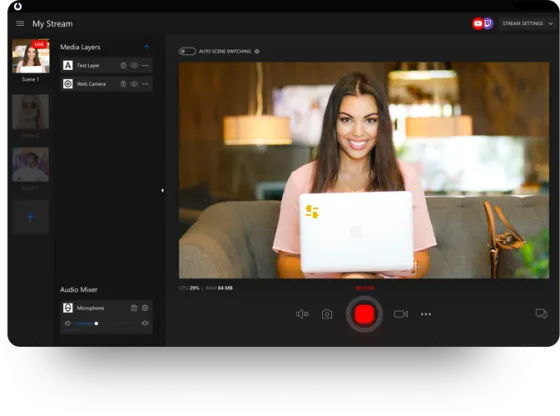
Everything you need for the broadcast itself is built in, so you do not have to run another studio program next to it.
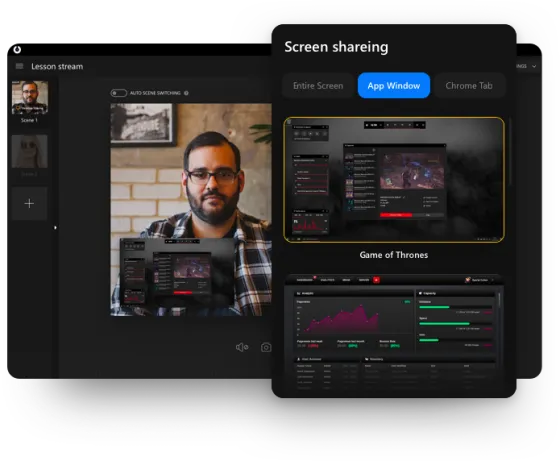
Screen and window capture
Show the whole screen, a single app window or a web page.
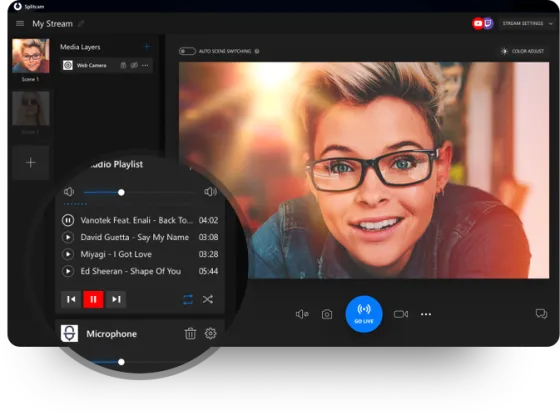
Audio mixer
Balance microphone, desktop sound and music playlists.
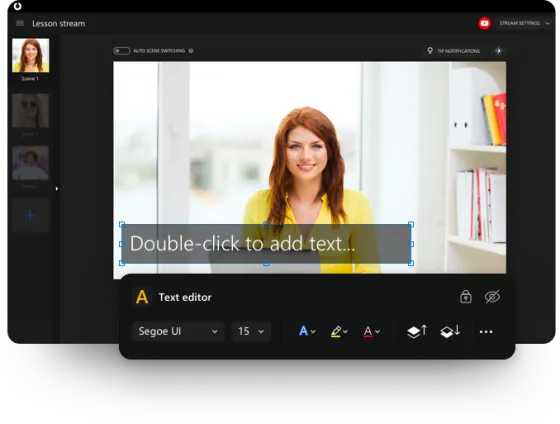
Titles and text
Put your name, a topic or a call to action on screen.
Virtual webcam
Use your finished picture in Zoom, Teams, Meet and others.
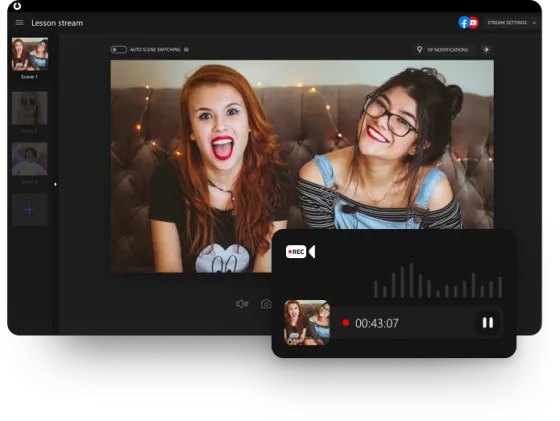
Recording
Save the stream to a file while you are live.
Questions about MultiStream
Is MultiStream free to use?
Yes, you can multistream for free. You download it, add your platforms and go live. There is no subscription and no trial timer; how many platforms you can use at once depends on your upload speed, not on a plan.
Is there a limit to how many platforms I can add?
No fixed limit: as many as your upload speed can carry. YouTube, Twitch and Facebook have ready-made entries, Kick too in the Windows and Android apps, and any other service that accepts RTMP can be added by hand.
How much upload speed do I need to multistream?
Roughly your bitrate multiplied by the number of platforms, plus headroom. For example, 720p at 3 Mbit/s sent to four platforms is 12 Mbit/s, so aim for at least 18 Mbit/s of upload. The speed check on this page does the math for you.
Will multistreaming slow my computer down?
Not noticeably. When your channels share the same settings the video is encoded a single time and the same stream goes to every service, so an extra platform costs upload bandwidth rather than processor power.
Which computers does MultiStream run on?
The desktop program needs Windows 10 (version 2004 or later) or Windows 11, 64-bit, or macOS 13 or later. Plan for 4 GB of RAM, 8 GB is better, and a fast, steady upload connection. On a phone you use the SplitCam app: Android from Google Play, iPhone and iPad (iOS 16.6 or later) from the App Store.
Is there a multistream app for phones and tablets?
Yes. The SplitCam app for Android (Google Play) and for iPhone and iPad (App Store) broadcasts to several platforms at the same time.
Does Twitch allow multistreaming?
Yes. Twitch has allowed simulcasting since October 2023, on three conditions from its Terms of Service: your Twitch stream must be at least as good as on other sites, you must not steer Twitch viewers to your other streams with links, and you must not show a merged chat from other platforms on Twitch. YouTube describes streaming to several platforms at once in its own Help Center. If you have an exclusivity contract, check it first.
Can I multistream to TikTok, Instagram or Kick?
Kick has a ready-made channel in the Windows and Android apps. TikTok, Instagram and most other services work through Custom RTMP: you paste the server address and stream key that the service gives your account. Each service decides which accounts get them, so check its help before you plan a show.
Can I multistream without OBS?
Yes. Many people look for an OBS multistream plugin, but MultiStream does the job on its own: camera and screen capture, an audio mixer and text overlays are built in, so you do not need OBS or any plugin.
Does OBS Studio multistream by itself?
Not out of the box: the streaming built into OBS Studio goes to one destination. To reach several you add a plugin (Aitum Multistream and Multiple RTMP outputs are the usual ones), pay for a cloud relay, or use a standalone program such as MultiStream that handles several outputs in one window.
How is MultiStream different from cloud multistreaming services?
Cloud multistreaming platforms and services take one stream from you and forward it from their servers, usually for a monthly fee once you want more channels. MultiStream is a program you install: by default it sends directly from your device, with no middleman and no subscription, in exchange for using more of your own upload. Some SplitCam apps also offer an optional relay mode for slow connections; if you switch it on, the stream passes through a SplitCam server.
What is the difference between multistreaming, simulcasting and restreaming?
All three describe one live show appearing on several platforms at once. Multistreaming and simulcasting name the result; restreaming usually means a service that takes your stream and forwards it from its own servers. By default MultiStream sends from your own device, so nothing sits in between.
Is MultiStream a tool for watching several streams at once?
No. MultiStream is for people who broadcast: it sends one live show of yours to many platforms. Pages that put several Twitch or YouTube channels side by side on one screen are viewer tools, which is a different job.
How do I multistream for free?
Download MultiStream, add the stream key of each channel, choose the quality and press Go Live. There is no subscription and no time limit; your upload speed is the only limit on how many platforms you can reach.
What is the best free multistreaming software?
It depends on how you stream. If you broadcast from your own computer or phone and do not want a subscription, a free program that sends to every platform, such as MultiStream, fits well. If your connection cannot upload several copies of the stream, a cloud service that makes the copies for you is the better pick. The same goes for the best free multi streaming platform and the best multi stream software: check your upload speed first.
Will multistreaming help me grow my audience?
It can help you reach more people, because viewers who never open your main channel may find you on another platform. It does not guarantee growth, which still depends on your content and how often you go live. Each platform counts its own viewers and followers, so look at every channel's statistics.
Your next stream can reach everyone
Download MultiStream, add your channels and go live on all of them today.
Download free